
RA
r.ahmed@•••Engineering Community
PostingPrivate Windows operations
Prepare authorized account sessions, organize communities and messages, run durable campaigns through up to four browser workers, and follow every result from Uniteams Desktop.
Designed for Windows 10 and Windows 11 x64
r.ahmed@•••Engineering Community
Postingk.malik@•••Product Operations
Checkings.amin@•••Design Community
Deliveredt.noor@•••Research Network
WaitingWorker 01 delivered message to Engineering Community
Private by designLocal or remote server
Durable activityProgress stays in view
Two connected workspaces
Uniteams keeps session preparation and campaign control distinct, while letting both workspaces move together inside one desktop application.
LOCAL SESSION PREPARATION
Load authorized account files, complete Microsoft checks when they appear, and keep reusable session packages synchronized for campaign work.
AUTHENTICATED OPERATIONS
Build community campaigns, organize messages and recipients, follow active browser slots, and manage replies from one role-aware dashboard.
One operational picture
Keep the moving parts connected without hiding the decisions that still belong to an operator.
Import authorized accounts, prepare browser sessions, review warnings, and reuse synchronized session packages after a restart.
TXT & CSV account importsRun up to four browser workers concurrently, with visible windows arranged automatically in a balanced 2 × 2 layout.
Visible or headless modeMaintain searchable communities and messages, append file imports, test access, and estimate work before launch.
XLSX, CSV & TXT supportSee current accounts, messages, communities, queues, and results—with safe pause, resume, and cancellation controls.
Activity survives interruptionsUse versioned templates, consent records, sender limits, quiet hours, and suppression controls for one-to-one messaging.
Idempotency controls includedFollow conversations across sender accounts, connect replies to campaigns, suppress future outreach, or respond manually.
Exact, likely & unmatched correlationInside Uniteams
Move through the core Control Center views—from campaign setup to live delivery, incoming replies, and scoped device access.
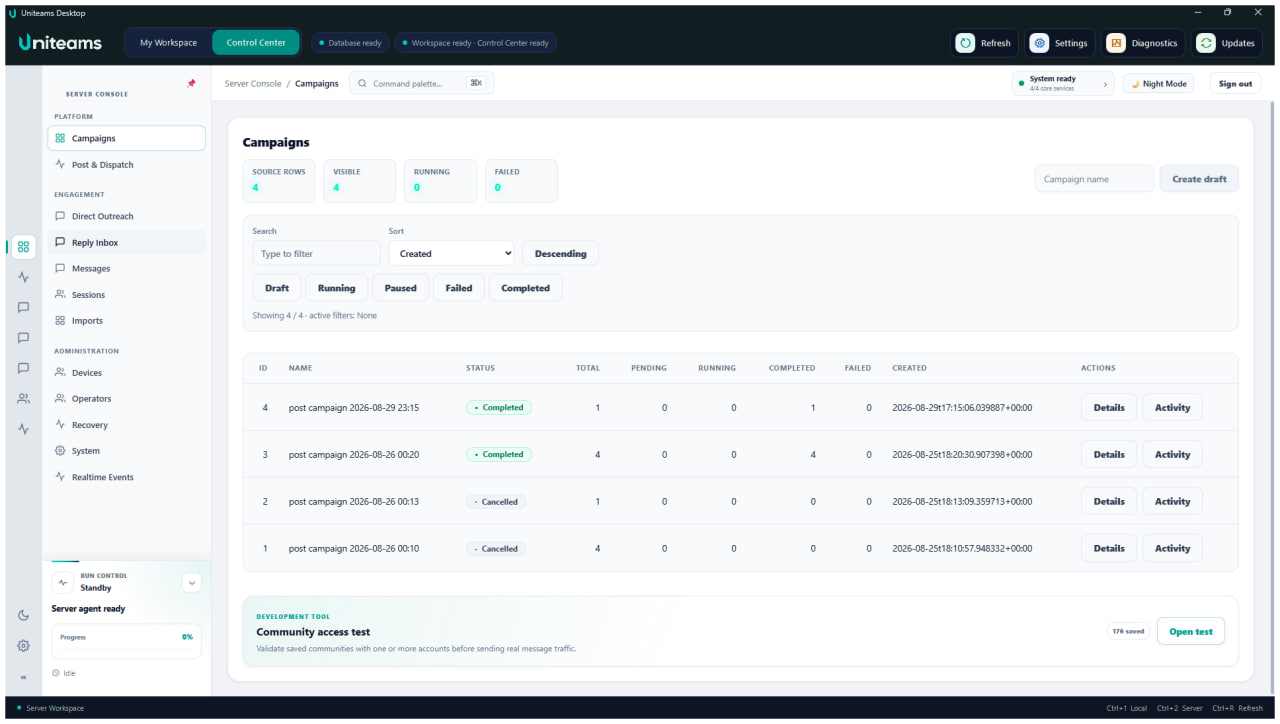
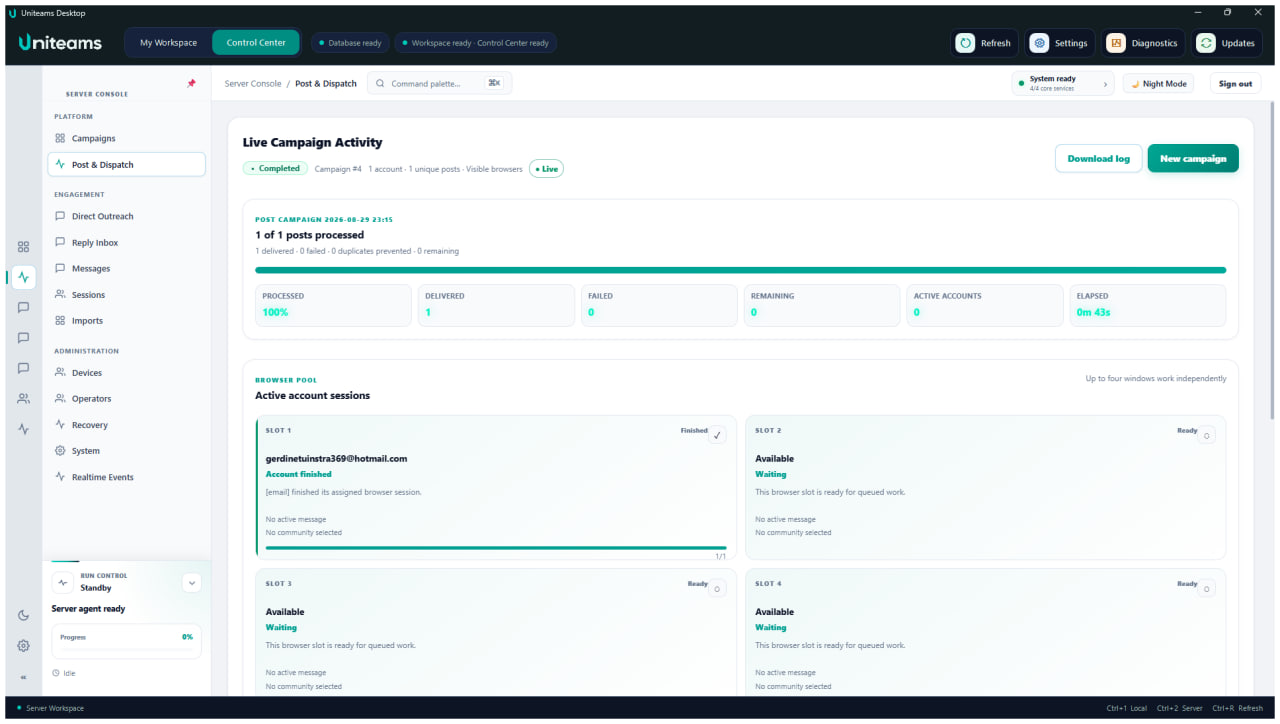
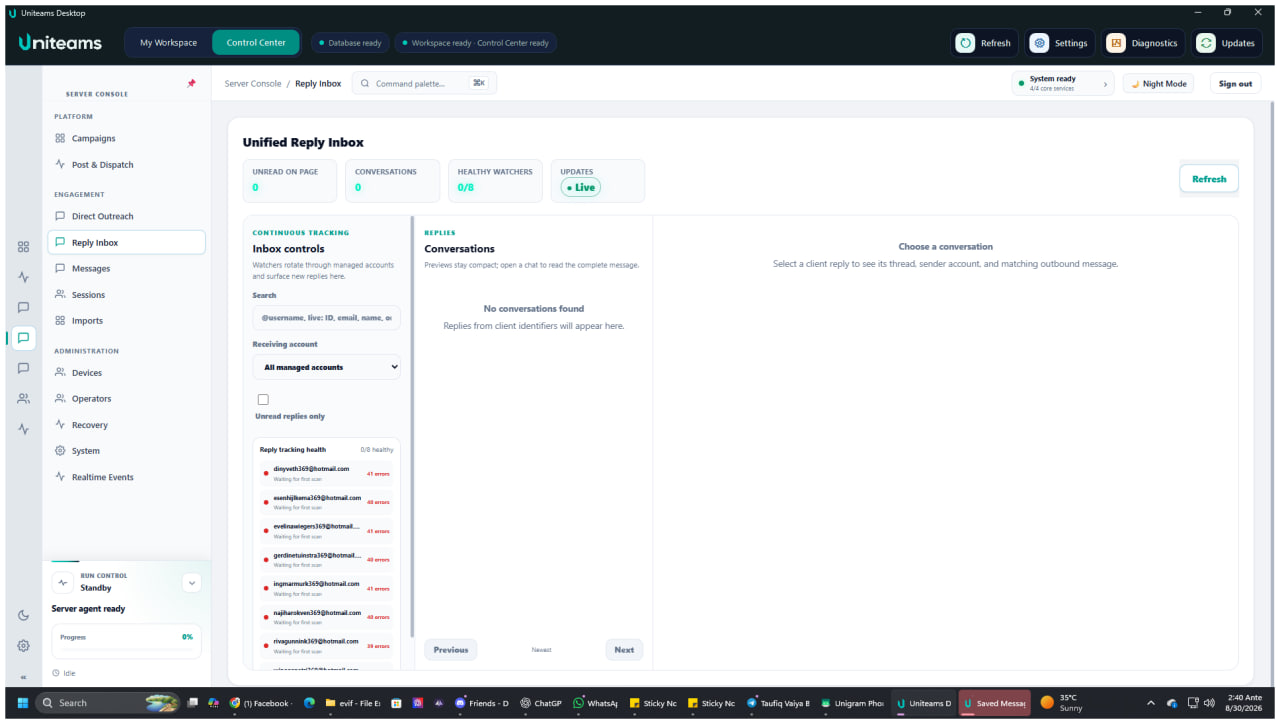
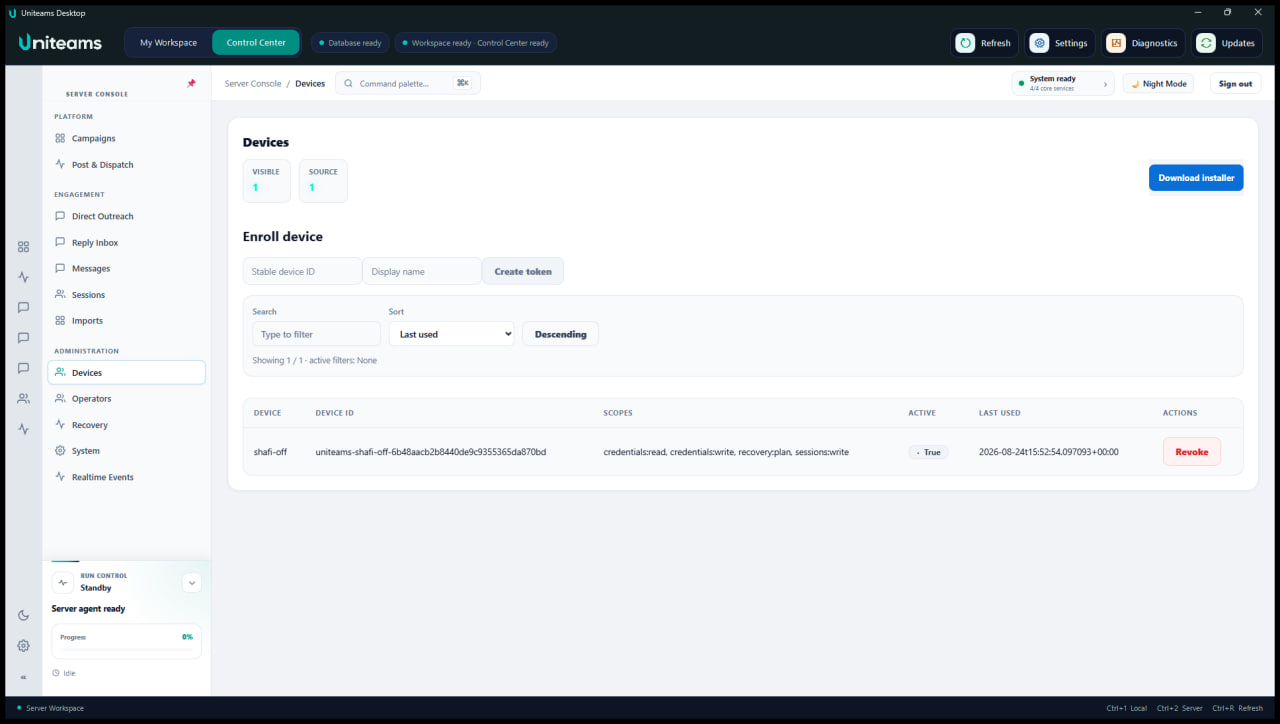
Select a view to explore the product.
Captured from the Windows desktop application.
Browser orchestration
Visible browser windows share the display in an adaptive 2 × 2 workspace. Headless mode keeps the same durable progress visible inside Control Center.
Every task, event, and operator control remains visible in Live Activity.
Safety controls onLimits, quiet hours, and suppression apply
Direct Outreach + Reply Inbox
Build one-to-one outreach from versioned templates and consented client records. Set delivery limits and quiet hours, then manage every response without losing its campaign context.
Only consented, unsuppressed clients are eligible for delivery.
Apply per-account hourly and daily limits with quiet hours.
Future automation pauses when a client responds.
Private workspace architecture
Uniteams is designed around local boundaries, scoped access, encrypted session storage, and diagnostics that redact secrets before export.
Ask a security questionSame-computer PostgreSQL and services bind to loopback, with a random launch token protecting internal desktop requests.
Windows Credential Manager stores database passwords, vault material, and device tokens. Session packages use AES-256-GCM encryption.
Admin, Operator, and Viewer roles work with scoped, revocable device tokens and audited sensitive credential access.
Logs and exports remove passwords, tokens, cookies, authorization headers, vault material, and connection-string passwords.
A clear operating rhythm
Choose a same-computer Server or connect to an operator-managed HTTPS Server.
Import authorized accounts and complete any manual Microsoft verification steps.
Select sessions, messages, communities, or consented recipients and review the workload.
Follow every worker and result, with safe pause, resume, cancellation, and recovery controls.
Responsible automation
Uniteams is designed for accounts, communities, and recipients you are authorized to access. It does not bypass MFA, CAPTCHA, consent screens, Microsoft restrictions, moderation, or anti-spam controls.
Good to know
Clear answers about sessions, browsers, imports, and responsible use.
Talk to UnicodeITUniteams is a Windows desktop operations platform for preparing authorized Microsoft Teams sessions, managing community campaigns, running consent-based direct outreach, and monitoring replies.
Yes. Operators can maintain multiple authorized sessions, select multiple campaign accounts, and run up to four browser workers concurrently.
Yes. Visible mode arranges up to four Chromium windows in a 2 × 2 layout. Headless mode runs in the background while progress remains visible in Live Activity.
Session packages are stored in Uniteams application data and are intended to survive restarts and ordinary upgrades. Microsoft can still expire or invalidate a session.
No. Work requiring MFA, CAPTCHA, consent, or account recovery is paused so the operator can complete it manually.
Public download is not yet enabled. Request access to receive release information after validation, signing, and the required legal and security gates are complete.
Uniteams Desktop
Join the early-access list for release updates and deployment information.